B2B lead database

Find the people and companies you want to sell to.

Search more than 400 million people and 70 million companies, and pay a credit only when an email is found.

The free plan gives you 100 credits every month. You sign in with a code sent to your email address, so there is no password.

What you can do

From a search to a list in the tool you send from.

LeadCart is where you find who to contact. It does not send emails for you: it hands the list to the outreach tool or CRM you already use.

People search

Search people by the job they do.

Filter by job title, seniority, department, location, skills and time in the role, and add company filters such as industry, headcount and funding. A live count shows how many people match before you run the search.

  • Save a search and open it again later
  • Leave out people who are already in your lists
  • Our data provider refreshes the database every 30 days
See every filter

Company search and lookalikes

Search companies, or start from the ones you already sell to.

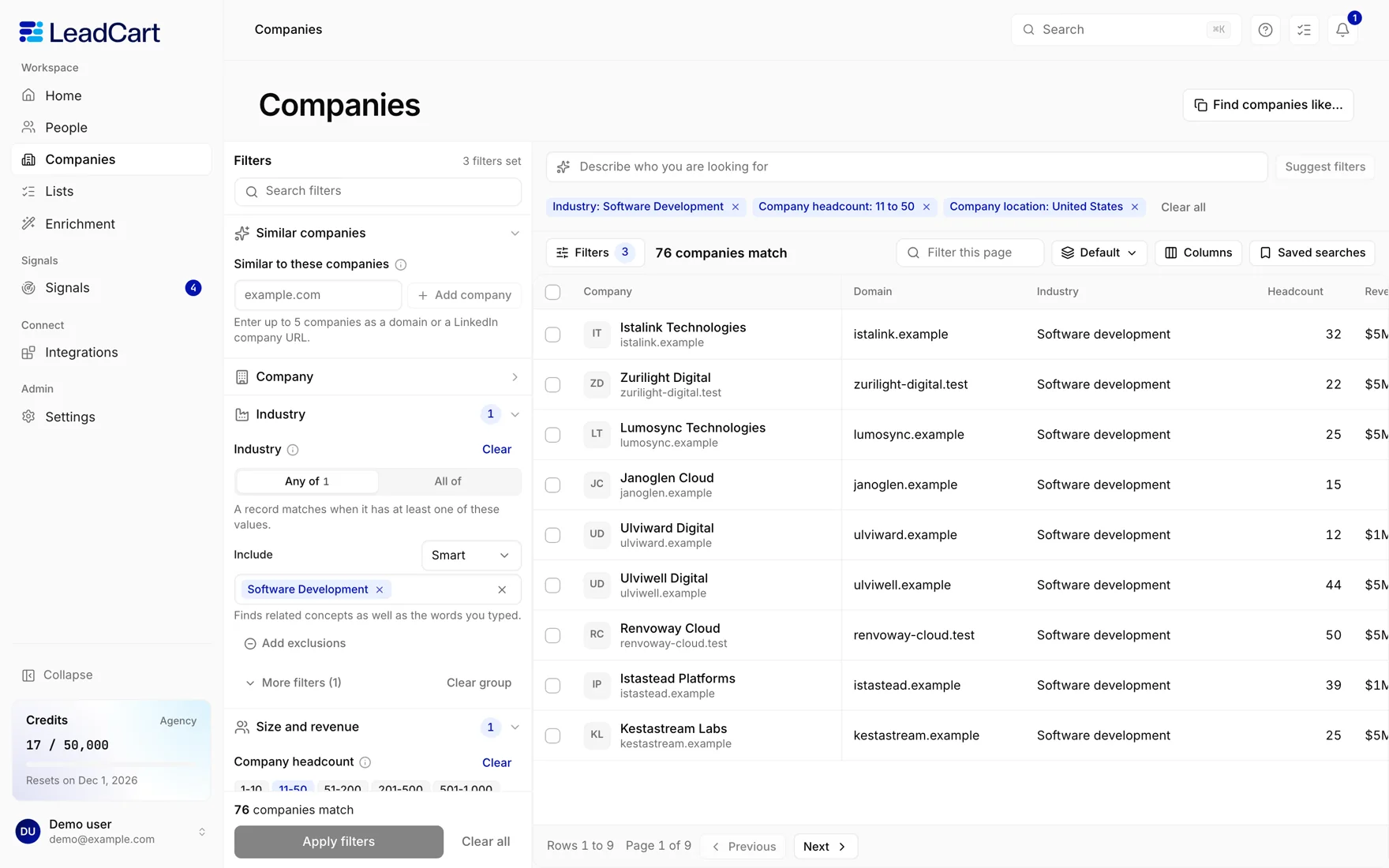
Filter companies by industry, headcount, revenue, funding, technologies and location. Or enter up to 5 companies and LeadCart finds companies similar to them. From any set of companies you can go straight to the people who work there.

How company search works
The Companies search in LeadCart: a field for similar companies and filters for industry and headcount, beside a table of matching companies.
LeadCart, shown with sample data.

Reveal

Reveal a contact when you need it.

Search results show everything about a person except the email and the mobile number. Revealing a work email costs 1 credit, and you pay it only when an email is found. A mobile number costs 10 credits on paid plans, on the same terms.

  • Nothing found, nothing charged
  • You pay once for a contact, however often you open it

Lists and export

Save lists and take them with you.

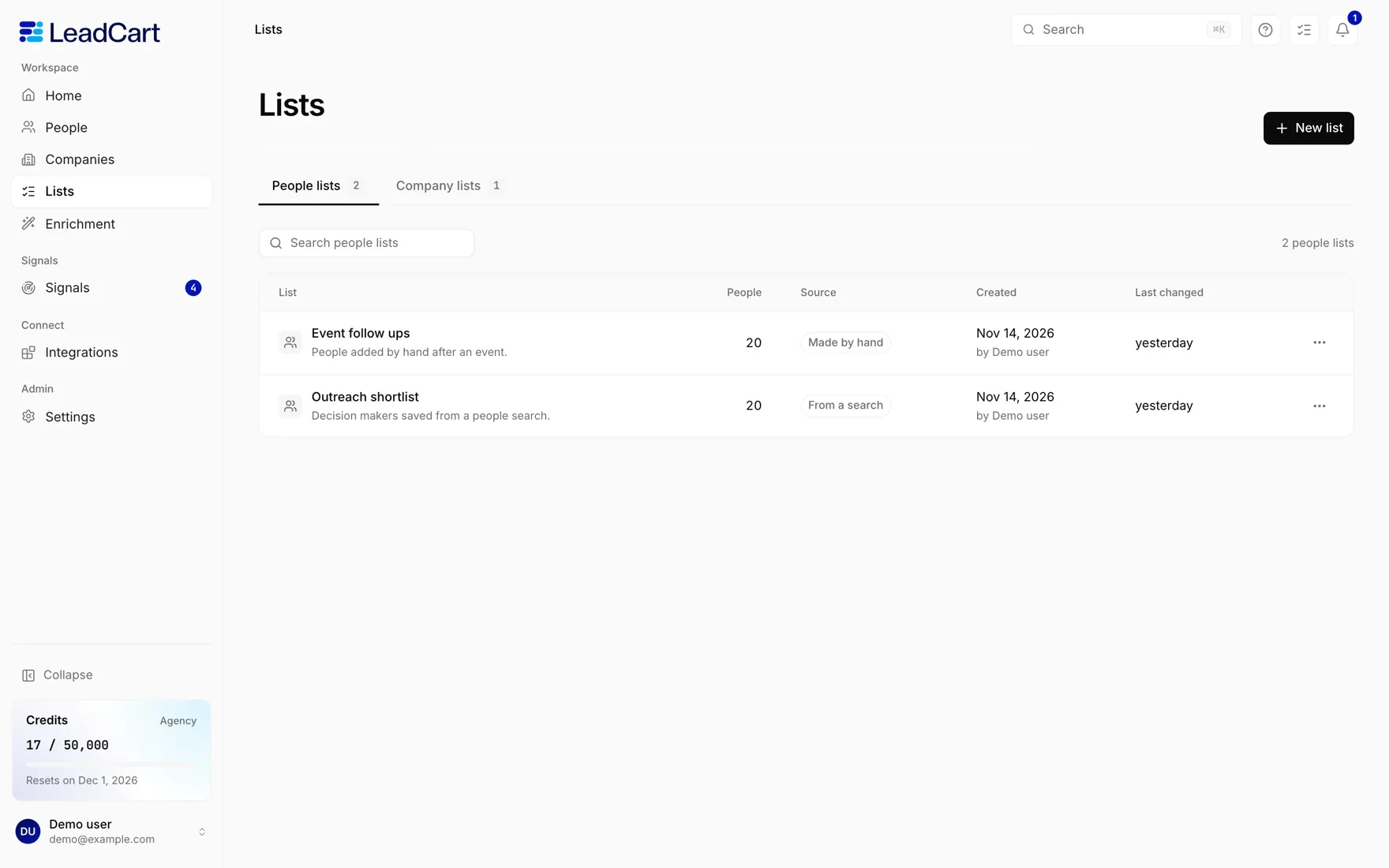
Save people and companies to lists and come back to them whenever you want. Any list can be exported to a CSV file, with the emails and mobile numbers you have revealed. Exporting costs no credits.

The Lists screen in LeadCart, showing two people lists with the number of people in each and where they came from.
LeadCart, shown with sample data.

CSV enrichment

Bring your own list and fill in the gaps.

Upload a CSV of up to 5,000 rows. LeadCart matches each row to a profile by its LinkedIn URL, its email, or its name and company domain, then adds the work email and the mobile number you ask for.

You pay for what is found. A row that is not matched costs nothing.

  • A row matched to a profile, with a work email found 1 credit
  • A row matched to a profile, without an email 0.5 credits
  • A mobile number found, on paid plans 10 credits
  • A row that is not matched Free

Signals

See when something changes at the companies you watch.

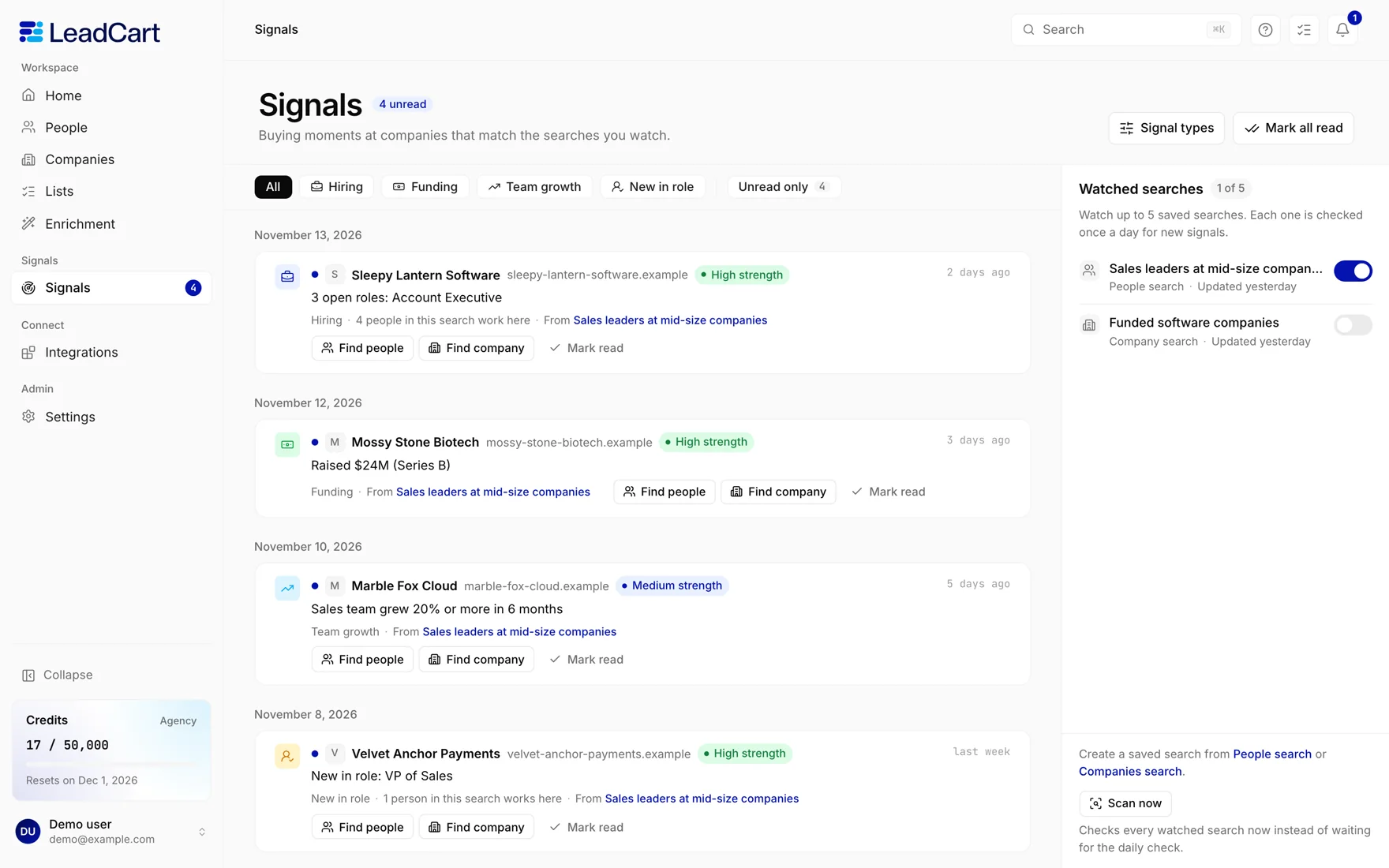
Save a search and watch it. LeadCart looks for four signals among the companies and people it returns, and lists them in one feed. You can watch up to 5 saved searches, and signals cost no credits.

  • Hiring. New job posts in the last 7 days.
  • Funding. A round announced in the last 30 days.
  • Headcount growth. A sales, marketing or engineering team that grew 20% or more in 6 months.
  • New in role. A person who started the job in the last 90 days.
The Signals screen in LeadCart: a feed of hiring, funding, team growth and new in role signals, with the watched searches beside it.
LeadCart, shown with sample data.

Integrations

Send a list to the tools you already use.

Connect a tool with its API key or its webhook address, pick a list and send it. 27 tools are in the catalogue today.

  • NuMail
  • Instantly
  • Smartlead
  • HeyReach
  • Webhook
  • Zapier
  • Make
  • n8n
  • Clay
  • EmailBison
  • lemlist
  • PlusVibe
  • Salesforge
  • Reply.io
  • Saleshandy
  • Woodpecker
  • QuickMail
  • Snov.io
  • Mailshake
  • SmartReach
  • HubSpot
  • Pipedrive
  • Attio
  • Close
  • La Growth Machine
  • ZenVerifier
  • Slack

See all integrations

For developers

Use LeadCart from your own code, or from an AI agent.

REST API

Search people and companies, read and build lists, and reveal contacts from your own code. Every request carries an API key that you create in your workspace settings.

MCP server

Connect an AI agent to your workspace over MCP. The agent searches, builds lists, reveals contacts and sends a list to a connected tool, with the same key and the same credits.

How credits work

You pay for what is found.

A credit is what you spend to reveal a contact. Searching does not use credits.

1 credit

A work email

You pay the credit only when an email is found.

10 credits

A mobile number

On paid plans. You pay only when a number is found.

0 credits

Search, save and export

Searching, saving to a list and exporting a list to CSV cost no credits.

Every month

Credits renew

Your plan’s credits arrive on the 1st of each month. Unused credits do not carry over.

Pricing

Start free. Move up when you need more credits.

Every account starts on the free plan, with 100 credits a month.

5,000

credits a month Starter · $47 a month 15,000 search records a month

12,000

credits a month Professional · $97 a month 30,000 search records a month

25,000

credits a month Growth · $197 a month 60,000 search records a month

Questions

Before you start.

What does a credit buy?

Revealing a work email costs 1 credit, and revealing a mobile number 10 credits, on paid plans. When you enrich a CSV, a row matched to a profile costs 1 credit with a work email, 0.5 without.

Searching, saving to a list and exporting a list cost no credits. Searching counts search records instead: each person or company a search delivers to your workspace is one record, and each plan has a number of records a week and a month.

How search records work

What happens when nothing is found?

You are not charged. You pay a credit only when an email is found, and the same holds for mobile numbers. A contact you have already revealed is never charged a second time.

Is there a free plan?

Yes. Every new account starts on the free plan, with 100 credits every month for work emails. Mobile numbers are part of the paid plans.

Unused credits do not carry over to the next month.

Which tools does it connect to?

27 today: email outreach tools such as NuMail, Instantly, Smartlead and lemlist, LinkedIn outreach tools such as HeyReach, CRMs such as HubSpot, Pipedrive, Attio and Close, and Zapier, Make, n8n, Clay, Slack and plain webhooks. You connect each one with your own API key or webhook address.

See all integrations

Is there an API?

Yes. There is a REST API and an MCP server for AI agents. Both use an API key that you create in your workspace settings, and both spend the same credits as the app.

Which languages does it come in?

English and Arabic. The app and this site are written in both, and the Arabic pages read right to left.

Start with 100 free credits a month.

Create an account with your email address. We send you a code to sign in, so there is no password to remember.